Poludnie

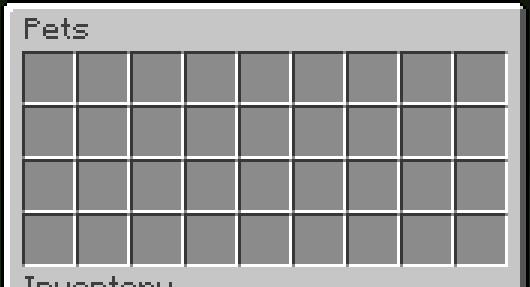
i want you to make me a /pets plugin when u run the command a gui opens 4x9 and thats all for now version 1.21.11

Kodari AI
KodariOct 31 at 11:05 pm 1
PetMenuGUI
A Bukkit plugin that opens a 4x9 pet management GUI when players run the /pets command. The plugin registers a command handler that creates and displays an interactive inventory menu with 36 slots. The GUI uses a lazy-initialized InventoryGUI implementation with a GUIManager system for centralized event handling. The plugin automatically cancels inventory clicks and provides a foundation for future pet selection, viewing, and management features. The menu title displays "Pet Menu" and the interface is ready for adding pet-related buttons and functionality in subsequent updates.
  1. Create the Gradle project targeting Paper 1.21.11.

  2. Add the /pets command and open a 4×9 inventory GUI.

Created the /pets plugin for Paper 1.21.11. Running /pets opens an empty 4×9 inventory; it’s ready for pet features later.

Poludnie

the bottom gui part should be filled with black stained glass panes and the middle one should be a barrier block called &c&lLEAVE and if u click on it the gui closes

Kodari AI
KodariOct 31 at 11:10 pm 1

Updated /pets: the bottom row is filled with black stained glass panes, with a &c&lLEAVE barrier in the center. Clicking anywhere in the menu is blocked, and clicking LEAVE closes it.

Poludnie

make it play a sound when u click the leave button or just leave the gui and enter too

Kodari AI
KodariOct 31 at 11:13 pm 1
  • Play a UI sound when the Pets menu opens.

  • Play the same sound whenever the menu closes, including the LEAVE button.

Added a pling sound when the Pets menu opens and whenever it closes, including via the LEAVE button.

Poludnie

change the sound when u open the gui with the command and leave the other sound for the leave button

Add so i can change the name of the gui in a config file same with the leave button name and add a pets reload command so it reloads the config

Kodari AI
KodariOct 31 at 11:17 pm 1
  1. Separate the menu-open sound from the LEAVE sound.

  2. Add config options for the GUI title and LEAVE button name.

  3. Add /pets reload to reload the config.

Updated /pets: opening the GUI now plays a chest-open sound, while clicking LEAVE keeps the pling sound and closes the menu.

Added config.yml options for the GUI title and LEAVE button name. Use /pets reload to reload the config; it requires the pets.reload permission, granted to operators by default.

Poludnie

okay as for the first pet it should be a player head item called <#FFC000>&lJ<#FFBC00>&la<#FFB800>&lc<#FFB400>&lk <#FFAC00>&lO<#FFA800>&l'<#FFA500>&lL<#FFA100>&la<#FF9D00>&ln<#FF9900>&lt<#FF9500>&le<#FF9100>&lr<#FF8D00>&ln

the lore should be: "&8Pet" "blank" "&6Happy Halloween"

this is the head value eyJ0ZXh0dXJlcyI6eyJTS0lOIjp7InVybCI6Imh0dHA6Ly90ZXh0dXJlcy5taW5lY3JhZnQubmV0L3RleHR1cmUvOGRiNzExZmY1MmVlZGRhNTljNDM0YmIwMzE2OTc2M2Q3YzQwYjViODkxMjc3NzhmZWFjZDYzYWE5NGRmYyJ9fX0= Like skin when u have the item in your hand and u rightclick the pet goes into your pets gui like only the one player and from there you can left click it to equip the pet and when its equipped a player head appears next to you slowly going up and down just a little mid air and orange particles should be coming from below it and above it it should say the name: <#FFC000>J<#FFBC00>a<#FFB800>c<#FFB400>k <#FFAC00>O<#FFA800>'<#FFA500>L<#FFA100>a<#FF9D00>n<#FF9900>t<#FF9500>e<#FF9100>r<#FF8D00>n

also add a /pet give command and make it so you can tab the pets that are added so for this one jackolantern

ill test and lyk any bugs

Kodari AI
KodariOct 31 at 11:36 pm 2
  1. Add the Jack O’Lantern pet item, right-click claiming, and per-player pet GUI entry.

  2. Add equipping with a floating head, name display, bobbing, and orange particles.

  3. Add /pet give and tab completion for the Jack O’Lantern pet.

  • Added the Jack O’Lantern player-head pet item with your texture, gradient name, and lore. Right-clicking it unlocks it for that player and consumes the item.

  • Owned pets appear in /pets; left-click the Jack O’Lantern to equip or unequip it. The pet floats beside you with a gradient name and orange particles, and is removed when you leave.

  • Added /pet give <player> jackolantern with tab completion. The command requires pets.give (operators by default).

Poludnie

okay make it so when u add a pet it gets added not in the middle of the gui but top left right 1 next to eachother, also when u equip a pet the gui should close same with unequipping one also make it so u cant take the head out of the flying one cause i just took the head out lmao and its flying particles now

Kodari AI
KodariOct 31 at 11:46 pm 1
  1. Place owned pets from the top-left, left to right.

  2. Close the GUI after equipping or unequipping.

  3. Prevent the floating pet’s head from being picked up or moved.

Moved the Jack O’Lantern pet to the top-left slot. Clicking it to equip or unequip now closes the GUI, and interacting with the floating pet’s armor stand is cancelled so its head can’t be removed.

Poludnie

make it only spawn particles on the bottom part of the pet not on top too also when someone leaves the gui by just clicking e make it a play a chest closing sound also remove the leave button from config too the part

Kodari AI
KodariOct 31 at 11:51 pm 1
  1. Move the pet particles to only the underside of the floating head.

  2. Play a chest-close sound when the GUI is closed with E.

  3. Remove the LEAVE button name from config and use a fixed button name.

  • Moved the orange particles to only appear below the floating pet’s head.

  • Pressing E to close the Pets GUI now plays the chest-close sound.

  • Removed the LEAVE button name from config.yml; it stays fixed as &c&lLEAVE.

Poludnie

you forgot to remove the leave button from the gui too

Kodari AI
KodariOct 31 at 11:54 pm 1

Removed the LEAVE barrier from the GUI. The bottom row now contains only black stained glass panes; pressing E still closes the menu and plays the chest-close sound.

Poludnie

actually change the current pet to an snowman one this is the skull value: eyJ0ZXh0dXJlcyI6eyJTS0lOIjp7InVybCI6Imh0dHA6Ly90ZXh0dXJlcy5taW5lY3JhZnQubmV0L3RleHR1cmUvNWY4NDZhZmM4OWU2Y2FiYTA1Y2Q2YzJjZTlkNTgzOTcyMDgwNTZlNmVlODI1OTM3ODc5ZTVkNmRiMTEyMWYifX19

the name of the item should be: <#FFFFFF>&lS<#EDEDED>&ln<#DBDBDB>&lo<#C9C9C9>&lw<#B6B6B6>&lm<#A4A4A4>&la<#929292>&ln

the name when its equipped should be <#FFFFFF>S<#EDEDED>n<#DBDBDB>o<#C9C9C9>w<#B6B6B6>m<#A4A4A4>a<#929292>n

the particles should be white and light grayish

the lore should be: &8Pet blank &fFreezing Weather &7Every &b30 Seconds &7you get the &bFreezing Effect blank &fSnow Skating? &7Whenever your on snow you get &b2x Faster

okay so freezing effect is the effect from powdered snow and 2x faster on snow i mean if a player is walking on snowblocks,snow they get 2x there current speed and if they walk off snow it goes back to normal

Kodari AI
KodariNov 1 at 12:10 am 1
  1. Replace Jack O’Lantern with the Snowman pet, including its skull, names, lore, and particle colors.

  2. Add the Snowman’s powdered-snow freezing effect every 30 seconds.

  3. Double walking speed on snow and restore normal speed when leaving snow.

Replaced Jack O’Lantern with the Snowman pet, using your skull texture, gradient names, lore, and white/light-gray particles. /pet give <player> snowman gives the unlock item, and tab completion now suggests snowman.

While equipped, it applies the powdered-snow freezing effect every 30 seconds and doubles walk speed on snow, snow blocks, and powdered snow. Speed returns to its previous value when leaving snow or unequipping the pet.

Poludnie

actually make it so instead of 2x speed you get 1.5x speed on snow and change the lore

also add more lore after the last one currenty blank &fSnow Cannon &7By rightclicking you can use your &bSnow Cannon &7that shoots &b3 Snowballs &7in the direction your looking in

the cooldown of the snow cannon is 1 minute and it should appear like a actionbar with the time left of the cooldown &8[&fSnow Cannon&8]&7: &b(time left)

Kodari AI
KodariNov 1 at 12:21 am 1
  1. Change the snow movement bonus to 1.5× and update the pet lore.

  2. Add a right-click Snow Cannon with three snowballs, a 1-minute cooldown, and a remaining-time action bar.

Updated the Snowman pet: snow now boosts walk speed by 1.5×, and its lore includes the Snow Cannon details. While equipped, right-clicking fires three snowballs; the cannon has a 60-second cooldown shown in the action bar.

Poludnie

also if the snowballs hit a player he gets the freezing effect too change the lore of this line &fSnow Cannon &7By rightclicking you can shoot &b3 Snowballs &7in the direction your looking in

also for some reason it only activates if im looking at the ground fix that so if i look at the sky it shoots too

Kodari AI
KodariNov 1 at 12:28 am 1
  • Apply freezing to players hit by Snow Cannon snowballs.

  • Update the Snow Cannon lore to the requested wording.

  • Spawn snowballs along the player’s eye direction so firing works while looking upward too.

Snow Cannon snowballs now apply the powdered-snow freezing effect when they hit a player. Updated the lore to your wording and adjusted projectile spawning to follow your eye direction, including when aiming upward.

Poludnie

change the lore to this bro &fSnow Cannon &7By rightclicking you can shoot &b3 Snowballs &7in the direction your looking in

also whenever soemone equips a pet a sound should also play different from the 2 already present mabye like a chime with the pitch being at 2 make it so also if your wearing the snowman pet and your running on snow white particles appear from your feet too

Kodari AI
KodariNov 1 at 4:02 pm 1
  1. Update the Snow Cannon lore to the exact requested lines.

  2. Play a distinct equip chime at pitch 2.

  3. Emit white particles at the player’s feet while sprinting on snow with the Snowman equipped.

Updated the Snow Cannon lore into the requested heading and description lines. Equipping the Snowman now plays an amethyst chime at pitch 2, and sprinting on snow emits white particles from your feet.

Kodari can make mistakes. Review important code before using.
Files
src
build.gradle
Code
4 541
src/main/java/com/kodari/pets/PetsPlugin.java
package com.kodari.pets;

import org.bukkit.Bukkit;
import org.bukkit.Color;
import org.bukkit.Location;
import org.bukkit.NamespacedKey;
import org.bukkit.Particle;
import org.bukkit.block.BlockFace;
import org.bukkit.command.Command;
import org.bukkit.command.CommandExecutor;
import org.bukkit.command.CommandSender;
import org.bukkit.command.TabCompleter;
import org.bukkit.ChatColor;
import org.bukkit.entity.Player;
import org.bukkit.entity.Snowball;
import org.bukkit.event.block.Action;
import org.bukkit.event.EventHandler;
import org.bukkit.event.Listener;
import org.bukkit.event.inventory.InventoryClickEvent;
import org.bukkit.event.inventory.InventoryCloseEvent;
import org.bukkit.event.player.PlayerInteractEvent;
import org.bukkit.event.player.PlayerQuitEvent;
import org.bukkit.event.player.PlayerArmorStandManipulateEvent;
import org.bukkit.event.entity.ProjectileHitEvent;
import org.bukkit.entity.ArmorStand;
import org.bukkit.inventory.EquipmentSlot;
import org.bukkit.inventory.Inventory;
import org.bukkit.inventory.ItemStack;
import org.bukkit.inventory.meta.ItemMeta;
import org.bukkit.inventory.meta.SkullMeta;
import org.bukkit.event.inventory.ClickType;
import org.bukkit.plugin.java.JavaPlugin;
import org.bukkit.persistence.PersistentDataType;
import org.bukkit.profile.PlayerProfile;
import org.bukkit.scheduler.BukkitTask;
import org.bukkit.util.Vector;
import net.kyori.adventure.text.serializer.legacy.LegacyComponentSerializer;
import com.cryptomorin.xseries.XMaterial;
import com.cryptomorin.xseries.XSound;
import com.cryptomorin.xseries.particles.XParticle;
import java.util.HashMap;
import java.util.List;
import java.util.Map;
import java.util.UUID;
import java.util.Locale;
import java.net.MalformedURLException;
import java.net.URL;
import java.nio.charset.StandardCharsets;
import java.util.Base64;
import java.util.regex.Matcher;
import java.util.regex.Pattern;

public final class PetsPlugin extends JavaPlugin implements CommandExecutor, TabCompleter, Listener {
    private static final String SNOWMAN_TEXTURE = "eyJ0ZXh0dXJlcyI6eyJTS0lOIjp7InVybCI6Imh0dHA6Ly90ZXh0dXJlcy5taW5lY3JhZnQubmV0L3RleHR1cmUvNWY4NDZhZmM4OWU2Y2FiYTA1Y2Q2YzJjZTlkNTgzOTcyMDgwNTZlNmVlODI1OTM3ODc5ZTVkNmRiMTEyMWYifX19";
    private static final String SNOWMAN_NAME = "<#FFFFFF>&lS<#EDEDED>&ln<#DBDBDB>&lo<#C9C9C9>&lw<#B6B6B6>&lm<#A4A4A4>&la<#929292>&ln";
    private static final String SNOWMAN_DISPLAY_NAME = "<#FFFFFF>S<#EDEDED>n<#DBDBDB>o<#C9C9C9>w<#B6B6B6>m<#A4A4A4>a<#929292>n";
    private static final Pattern HEX_COLOR = Pattern.compile("<#([A-Fa-f0-9]{6})>");
    private static final Pattern TEXTURE_URL = Pattern.compile("\"url\":\"([^\"]+)\"");
    private NamespacedKey petTypeKey;
    private NamespacedKey snowmanOwnedKey;
    private NamespacedKey snowCannonKey;
    private final Map<UUID, ArmorStand> activePets = new HashMap<>();
    private final Map<UUID, BukkitTask> petTasks = new HashMap<>();
    private final Map<UUID, Float> walkSpeedsBeforeSnow = new HashMap<>();
    private final Map<UUID, Long> snowCannonCooldowns = new HashMap<>();

    @Override
    public void onEnable() {
        saveDefaultConfig();
        petTypeKey = new NamespacedKey(this, "pet_type");
        snowmanOwnedKey = new NamespacedKey(this, "snowman_owned");
        snowCannonKey = new NamespacedKey(this, "snow_cannon");
        getCommand("pets").setExecutor(this);
        getCommand("pet").setExecutor(this);
        getCommand("pet").setTabCompleter(this);
        getServer().getPluginManager().registerEvents(this, this);
    }

    @Override
    public void onDisable() {
        for (BukkitTask task : petTasks.values()) {
            task.cancel();
        }
        for (ArmorStand pet : activePets.values()) {
            pet.remove();
        }
        petTasks.clear();
        activePets.clear();
    }

    @Override
    public boolean onCommand(CommandSender sender, Command command, String label, String[] args) {
        if (command.getName().equalsIgnoreCase("pet")) {
            return handlePetGive(sender, args);
        }

        if (args.length > 0) {
            if (args.length == 1 && args[0].equalsIgnoreCase("reload")) {
                if (!sender.hasPermission("pets.reload")) {
                    sender.sendMessage(ChatColor.RED + "You don't have permission to reload Pets.");
                    return true;
                }
                reloadConfig();
                sender.sendMessage(ChatColor.GREEN + "Pets config reloaded.");
                return true;
            }
            sender.sendMessage(ChatColor.RED + "Usage: /pets [reload]");
            return true;
        }

        if (!(sender instanceof Player player)) {
            sender.sendMessage("Only players can open the pets menu.");
            return true;
        }

        String title = ChatColor.translateAlternateColorCodes('&', getConfig().getString("gui.title", "Pets"));
        Inventory inventory = Bukkit.createInventory(null, 36, title);
        ItemStack pane = XMaterial.matchXMaterial("BLACK_STAINED_GLASS_PANE")
                .map(XMaterial::parseItem)
                .orElse(null);
        if (pane != null) {
            for (int slot = 27; slot < 36; slot++) {
                inventory.setItem(slot, pane);
            }
        }

        if (player.getPersistentDataContainer().getOrDefault(snowmanOwnedKey, PersistentDataType.BYTE, (byte) 0) == (byte) 1) {
            ItemStack snowmanPet = createSnowmanPetItem();
            if (snowmanPet != null) {
                inventory.setItem(0, snowmanPet);
            }
        }

        player.openInventory(inventory);
        XSound.matchXSound("BLOCK_CHEST_OPEN").ifPresent(sound -> sound.play(player));
        return true;
    }

    private boolean handlePetGive(CommandSender sender, String[] args) {
        if (!sender.hasPermission("pets.give")) {
            sender.sendMessage(ChatColor.RED + "You don't have permission to give pets.");
            return true;
        }
        if (args.length != 3 || !args[0].equalsIgnoreCase("give")) {
            sender.sendMessage(ChatColor.RED + "Usage: /pet give <player> <pet>");
            return true;
        }

        Player target = Bukkit.getPlayerExact(args[1]);
        if (target == null) {
            sender.sendMessage(ChatColor.RED + "That player is not online.");
            return true;
        }

        if (!args[2].equalsIgnoreCase("snowman")) {
            sender.sendMessage(ChatColor.RED + "Unknown pet. Available pet: snowman");
            return true;
        }

        ItemStack petItem = createSnowmanPetItem();
        if (petItem == null) {
            sender.sendMessage(ChatColor.RED + "Could not create the Snowman pet item.");
            return true;
        }
        Map<Integer, ItemStack> overflow = target.getInventory().addItem(petItem);
        for (ItemStack leftover : overflow.values()) {
            target.getWorld().dropItemNaturally(target.getLocation(), leftover);
        }
        sender.sendMessage(ChatColor.GREEN + "Gave the Snowman pet to " + target.getName() + ".");
        target.sendMessage(ChatColor.GREEN + "You received a Snowman pet!");
        return true;
    }

    @Override
    public List<String> onTabComplete(CommandSender sender, Command command, String alias, String[] args) {
        if (!command.getName().equalsIgnoreCase("pet") || !sender.hasPermission("pets.give")) {
            return List.of();
        }
        if (args.length == 1) {
            return matching(List.of("give"), args[0]);
        }
        if (args.length == 2 && args[0].equalsIgnoreCase("give")) {
            return matching(Bukkit.getOnlinePlayers().stream().map(Player::getName).toList(), args[1]);
        }
        if (args.length == 3 && args[0].equalsIgnoreCase("give")) {
            return matching(List.of("snowman"), args[2]);
        }
        return List.of();
    }

    private List<String> matching(List<String> options, String input) {
        String prefix = input.toLowerCase(Locale.ROOT);
        return options.stream().filter(option -> option.toLowerCase(Locale.ROOT).startsWith(prefix)).toList();
    }

    @EventHandler
    public void onPetItemUse(PlayerInteractEvent event) {
        if (event.getHand() != EquipmentSlot.HAND || (event.getAction() != Action.RIGHT_CLICK_AIR && event.getAction() != Action.RIGHT_CLICK_BLOCK)) {
            return;
        }