
l want make a servicescript and storageserver becuase is a copy decompile with no serverscriptservice

ServerScriptService and ServerStorage are built-in Roblox services, not scripts or folders you can recreate as project files. In Roblox Studio, check View → Explorer and add your server-side Script under ServerScriptService; keep server-only assets in ServerStorage.
A decompiled copy may not include the original server code or assets, and I can’t restore those from the copy. This project is set up for Minecraft plugins, not Roblox places.
how fix this
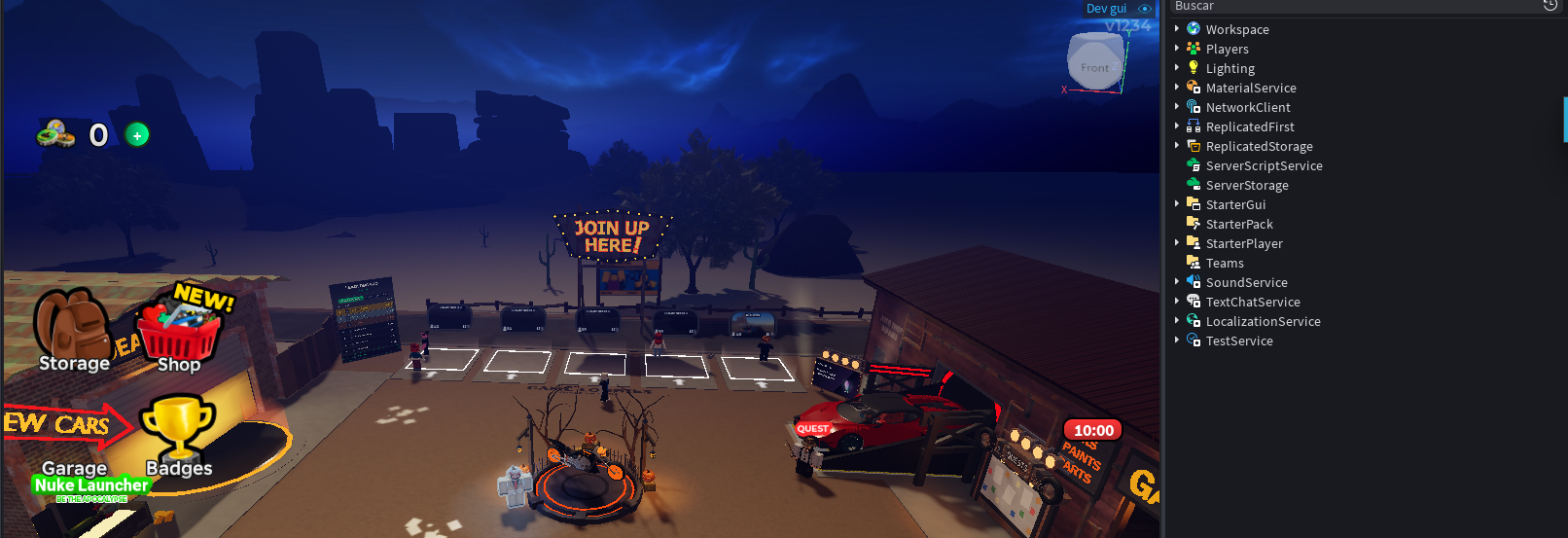
They’re already there in your screenshot: ServerScriptService and ServerStorage are listed in Explorer on the right. Click the small arrow beside each service to expand it.
To add your own server script:
Right-click ServerScriptService → Insert Object → Script.
Put server-only assets you need to keep out of clients in ServerStorage. Scripts stored there do not run.
A decompiled copy may have missing original scripts or assets; the services being present doesn’t restore them. You’ll need to recreate that code yourself or recover it from a backup.
is copy how make script make work out
The services are already present in the screenshot. To test a server script in Roblox Studio:
Right-click ServerScriptService → Insert Object → Script.
Put this in the script:
Luaprint("Server script is running")Click Play, then open View → Output. You should see the message.
Use a regular Script in ServerScriptService for server code. A LocalScript belongs in places like StarterPlayerScripts or StarterGui; scripts in ServerStorage don’t run there.
There isn’t one script that can make a decompiled copy work automatically. If the original server scripts, assets, or external data are missing, you’ll need to recreate the game’s behavior. Tell me what feature you want working and any error shown in Output, and I can help with the Luau script.
l got erorr of script -- Saved by UniversalSynSaveInstance (Join to Copy Games) https://discord.gg/wx4ThpAsmw
-- [FilteringEnabled] Server Scripts are IMPOSSIBLE to save
That line is a decompiler notice, not a Lua error. It means the tool couldn’t save the original game’s server scripts because server code doesn’t replicate to players. You can’t recover those missing scripts by changing a setting.
If this is your own game, open the original place in Roblox Studio or restore a backup to get its server code. Otherwise, create a new Script under ServerScriptService and recreate the features you need; paste the actual red error from View → Output if your new script fails.
how fix this if is not mine
If the game isn’t yours, you can’t restore its missing server scripts from that copy. The message is a notice that the saver couldn’t access them—not an error you can fix in the copied files.
Play the game on Roblox, or ask the creator for permission or an official copy. If you want to learn how a feature works, describe it and I can help you build a similar feature in your own Roblox experience.
No files in this session