
ViooFT — Ultimate FunTime Utility Client
Complete Minecraft Fabric Development Project
Create ViooFT, a complete, advanced Minecraft Fabric client-side mod designed specifically to provide genuinely useful tools for everyday gameplay on the FunTime server.
ViooFT must be a large, polished and practical utility client, not just a collection of buttons or a visual-only modification.
Main priorities:
- Extensive and useful FunTime utilities.
- Professional, convenient and customizable GUI.
- Inventory, equipment and item management.
- Economy and trading tools.
- Accurate information and useful HUD indicators.
- Stability, performance and reliable data persistence.
- Technical Requirements
- Minecraft Java 1.21.11.
- Fabric Loader and Fabric API.
- Java 25.
- Mod ID: "viooft".
- Client-side only.
- Deliver a working compiled JAR and complete source code.
Use modular architecture with separate GUI, utilities, inventory, item recognition, configuration, rendering and data systems.
If an existing ViooFT project exists, inspect and continue it. Never modify the original ViooClient project.
- Development Quality
Use maximum available reasoning and development capabilities.
Before coding, inspect the project, dependencies, APIs and technical limitations. Design the architecture and implementation plan.
Requirements:
- Implement real functionality, not placeholders.
- Every control and setting must work.
- Preserve existing working code.
- Keep modules independent.
- Handle errors and unexpected game states.
- Compile and test regularly.
- Do not fabricate server data.
- Do not claim unfinished features work.
- Explain technical limitations and implement reliable alternatives where possible.
Prioritize quality over development speed.
- Main GUI — ViooFT Visual Identity
Create a modern, professional interface that feels like a standalone desktop application integrated into Minecraft. Do not simply recolor vanilla Minecraft menus.
Appearance
- Dark or pure black background.
- Rounded corners, subtle borders and shadows.
- Smooth, readable, non-pixelated typography.
- Consistent spacing and alignment.
- Smooth opening, closing and hover animations.
- Animated toggle switches instead of checkboxes.
- Smooth sliders with visible values.
- High-quality icons and clear visual hierarchy.
- No excessive decoration.
Main layout
Create a central window containing:
- Left navigation sidebar.
- Main content area.
- Top header with ViooFT branding.
- Search field.
- Category title and description.
- Module cards or organized rows.
- Dedicated settings panel.
- Close button.
Support scrolling, searching, filtering, expandable settings, tooltips, responsive resizing and convenient navigation.
Module settings
Use appropriate controls:
- Toggles, sliders, dropdowns.
- Color pickers.
- Numeric and text inputs.
- Keybind selectors.
- Buttons and presets.
Every setting must have a clear name, description and current value.
Customization
Allow users to change:
- Menu scale and dimensions.
- Accent and background colors.
- Transparency and corner roundness.
- Text, button and slider sizes.
- Spacing and sidebar width.
- Animation speed and panel appearance.
Optional animated backgrounds: subtle waves, stars, rain and floating particles. All animations must be disableable.
Localization and keybinds
Support English, Ukrainian and Russian throughout the interface, descriptions and notifications.
Default opening key: Right Shift. Allow custom menu and module keybinds without conflicts with Minecraft.
- Home Dashboard
Create a useful Home screen displaying:
- ViooFT branding and version.
- Minecraft version.
- Current server name and connection status when available.
- Quick-access utilities.
- Recently used modules.
- Saved profiles.
- Important notifications.
Allow users to customize shortcuts. Never fabricate server information.
- Friends Manager
Create a complete Friends system:
- Add, remove and edit friends by nickname.
- Custom colors, icons and personal notes.
- Search, sorting and favorites.
- Persistent friend list.
Configurable quick-action commands:
- "/tp <friend_nickname>"
- "/pay 10000"
- "/pay 100000"
- "/pay 1000000"
Allow customization of commands, payment amounts, button names and order.
Require deliberate user interaction before sending commands, especially payments. Never send payments automatically.
Show online status only when reliably available from server-visible information such as the tab list. Never invent friend health, PvP status, location, distance or inventory. Hide unavailable information or display Unknown.
- Kit Helper
Create a full inventory-like Kit Helper.
Features:
- Custom inventory layouts.
- Hotbar, armor and offhand configuration.
- Multiple saved kits.
- Save, rename, duplicate and delete layouts.
- Preview and compare layouts with current inventory.
Implement user-triggered sorting when a relevant inventory is open.
The sorter should match items to saved positions, preserve unrelated items, handle missing and duplicate items, and avoid unnecessary movement.
Never drop or delete items. Respect server restrictions. If automated sorting is unreliable, provide a useful manual sorting assistant.
- Kit Build — Equipment Analysis
Create an advanced equipment assistant that recognizes armor, enchantments, weapons, consumables, special items and their tiers.
Initial evaluation rules
- Emerald and diamond armor with Protection III are equal.
- Emerald and diamond swords with Sharpness III–IV are baseline weapons.
- Ordinary totem, Talisman of Darkness and Tyrant are baseline special items.
- Sphere of Icarus and Satyr are alternative options.
- Recommended consumables: 2–4 golden apples, speed/mixed/strength potions and food.
These are configurable user-defined rules.
Talisman ranking (lowest to highest)
- Tyrant
- Darkness
- Demon
- Discord
- Vortex
- Fury
- Punisher
- Crusher
Sphere ranking (lowest to highest)
- Erida
- Satyr
- Icarus
- Beast
- Ares
- Chaos
- Hydra
- Titan
- Athena
Allow editing rankings and adding items.
Highlighting
- Green: upgrade.
- Yellow: useful item or missing equipment.
- Purple: high-tier special item.
- Gray: not recommended.
Colors must be customizable.
On hover, explain why an item is useful, what it can replace and which evaluation rule was applied.
Do not invent item statistics or enchantment effects.
Support saved build profiles such as General, PvP, Farming, Economy and custom kits.
- Item Helper — Special Item Recognition
Create a comprehensive FunTime item recognition and visualization system.
Initial item dimensions
Item| Initial dimensions Trapka| 5×5×5 around player Божья аура| 2×2×2 Дезориентация| 10×10×10 Явная пыль| 10×10×10 Пласт стіна| 3×5×1 in front of player
Treat these as initial editable settings, not guaranteed server-side effect boundaries.
Recognition database
Recognize items using registry IDs, display names, aliases, components, descriptions and configurable rules. Do not rely only on localized names.
Create an editable database containing:
- Item ID and display name.
- Aliases and category.
- Tier and color.
- Detection rules.
- Visualization dimensions.
- Optional behavior information.
Allow adding, editing and removing entries.
Effect visualization
For recognized items support:
- 3D effect boundaries.
- Outline and fill.
- Custom colors and transparency.
- Labels and detection distance.
- Ground projection.
- Editable dimensions.
Clearly distinguish theoretical visualization from confirmed server-side effect boundaries.
Projectile trajectory
Support arrows, ender pearls, snowballs, eggs, potions and other projectiles.
Display predicted trajectory, gravity, drag, collisions, landing position and optional landing marker.
Use actual projectile physics where possible. Account for uncertainty from latency, movement and different projectile behavior.
Visualization only: no automatic aiming or throwing.
- Economy
Create a comprehensive Economy category.
9.1 Profit Calculator
Inputs:
- Purchase price and quantity.
- Selling price and expected quantity.
- Optional marketplace fees and additional costs.
Calculate:
- Total purchase cost.
- Expected revenue.
- Net profit or loss.
- ROI percentage.
- Profit per item.
- Break-even selling price.
- Profit after fees.
Support individual items, stacks, partial sales, different purchase/selling quantities and multiple costs.
Include saved presets, calculation history, input validation and convenient editing.
Example:
- 64 invisibility potions.
- Purchase cost: 600,000.
- Selling price: 40,000 each.
- Revenue: 2,560,000.
- Profit before fees: 1,960,000.
- ROI: approximately 326.67%.
9.2 Ordinary Calculator
Separate general-purpose calculator supporting:
- Addition, subtraction, multiplication and division.
- Parentheses and correct order of operations.
- Decimals and percentages.
- Memory functions.
- Calculation history.
- Keyboard and mouse input.
- Clear and backspace.
9.3 Trade Notebook
Allow manual recording of item name, purchase price, quantity, selling price, sold quantity, date, notes and trade status.
Calculate investment, revenue, profit/loss, remaining stock and average purchase price.
Include search, sorting, filters, editing, deletion and persistent history.
Never claim to know live auction prices without a reliable source.
- Additional FunTime Utilities
Implement these where technically possible.
Special Item Recognition
Share the central item database across all relevant modules. Avoid duplicate recognition systems.
Trapka Status
Display activation status and remaining duration only when reliable information is available.
Totem Tracker
Track detectable totem events with notifications, counters and session history.
Item Pickup Logger
Record reliably detected pickup events, item names, quantities where available, event times and session history.
Inventory Planner
Plan item placement, hotbar, equipment and consumable slots. Support saved templates and comparison with current inventory.
Chest Value Highlight
Highlight useful items using Kit Build rules, special item rankings, user priorities and configurable colors. Never invent market prices.
Chest Loadout Matching
Compare chest contents with saved Kit Helper or Kit Build configurations. Show missing equipment, upgrades, duplicates and useful consumables. Never automatically loot or move items.
Item Scroller / Swap
Implement configurable item scrolling and swapping where supported, with custom keybinds and safe inventory interaction.
Server Status and Events
Display server status, events and statistics only when a real source is available. Never fabricate schedules, player counts or information.
- GPS and Waypoints
Implement:
- "/gps X Z"
- "/gps X Y Z"
- "/gps off"
- "/gps help"
- "/gps set <name> ..."
- "/gps list"
- "/gps remove <name>"
- "/gps go <name>"
Support saving, editing and deleting named waypoints, direction and distance indicators, optional beams/markers and configurable colors.
Support coordinates with or without Y. Do not confuse GPS coordinates with server-provided player locations.
- Notifications and Information HUD
Create practical, optional HUD widgets:
- Coordinates, FPS, ping and compass.
- GPS destination and distance.
- Armor durability and potion effects.
- CPS and keystrokes.
- Session duration.
- Totem counter.
- Item pickup notifications.
- Utility notifications.
Support drag-and-drop positioning, individual toggles, size, color, transparency and saved layouts.
Display only information that can actually be obtained.
- Unified Menu Categories
Organize modules into:
- Home.
- Friends.
- Kit Helper.
- Kit Build.
- Item Helper.
- Economy.
- GPS.
- FunTime Utilities.
- Notifications and HUD.
- Settings.
- Configurations.
Provide searchable modules with clear names, descriptions, settings and keybinds where relevant.
Do not add unnecessary old combat or cosmetic modules.
- Configuration and Persistence
Automatically save:
- Module settings.
- Friends, notes and icons.
- Kit layouts and Kit Build preferences.
- Item database.
- Calculator history and Profit Calculator presets.
- Trade history.
- GPS waypoints.
- HUD layouts.
- GUI appearance, language and keybinds.
Support named profiles, import/export, reset, backup and restore. Handle corrupted configurations safely.
Preserve important user data across restarts and updates.
- Performance and Compatibility
Avoid unnecessary per-frame calculations, memory leaks, excessive rendering and background tasks.
Clean up temporary objects, use efficient data structures and keep the GUI responsive.
Test compatibility with Fabric API, Sodium, Iris, Mod Menu and common Fabric client mods. Document actual conflicts instead of claiming untested compatibility.
- Data Accuracy and Server Limitations
Every server-related feature must have an identifiable data source.
Separate data acquisition, processing and visualization.
Never fabricate enemy inventory/health, friend health, PvP status, online status, player locations, item prices, server events, statistics, timers or item effects.
Show Unknown or hide unavailable information. Prefer legitimate client-visible information and stable APIs.
- Final Integration and Testing
Test all major systems:
GUI: opening, closing, navigation, search, scrolling, controls, localization and customization.
Friends: adding/removing, editing, commands, payment confirmation and persistence.
Kit systems: layouts, inventory comparison, equipment recognition, rankings and highlighting.
Item Helper: recognition, database editing, effect visualization and projectile trajectories.
Economy: profit, ROI, fees, partial sales, ordinary calculator, presets and trade history.
FunTime utilities: Totem Tracker, Item Pickup Logger, Inventory Planner, Chest Value Highlight, Chest Loadout Matching and Item Scroller/Swap.
GPS/HUD: commands, waypoints, direction, distance, positioning and notifications.
Also test Minecraft startup, server connection, restart persistence, compatibility, performance and error handling.
Fix critical bugs before delivery. Do not mark unimplemented features as complete.
- Final Deliverables
Provide:
- Complete ViooFT source code.
- Successfully compiled working JAR.
- Changelog.
- Complete module and feature list.
- Description of each module.
- Features requiring server-visible data.
- Known limitations.
- Installation and configuration instructions.
- Compatibility information.
- Actual build and testing results.
Never provide an empty, fake or untested JAR.
FINAL OBJECTIVE
Create ViooFT — a complete, advanced and convenient FunTime Utility Client.
It must combine a premium customizable GUI, Friends, Kit Helper, Kit Build, Special Item Recognition, Item Helper, projectile prediction, Profit Calculator, Ordinary Calculator, Trade Notebook, Inventory Planner, Chest Value Highlight, Chest Loadout Matching, Totem Tracker, Item Pickup Logger, GPS, HUD, notifications and complete configuration persistence.
Do not waste development time recreating unrelated ViooClient cosmetic or combat visual modules.
The priority is a large, reliable and genuinely useful FunTime client — not simply a beautiful menu with nonfunctional features.

Build the client-only foundation, persistent data, profiles, and safe recovery.
Add the unified interface, friends, inventory planning, item recognition, and economy tools.
Integrate client-visible events, GPS, HUD, and visualizations without inventing server data.
Report honestly which build and compatibility checks can be performed here.
Created the ViooFT client source, including the interface, friends manager, manual kit planner, item recognition, economy tools, GPS, HUD, and client-visible event tracking. The README contains the feature list, changelog, setup, and data-source limitations.
Remaining gaps: component-exact kit matching, full chest loadout analysis, item scrolling, dedicated build profiles, and some requested GUI styling and animations. Projectile previews do not model entity collisions or custom server physics.
Build status: No JAR or gameplay/compatibility test results are available yet.
To build it in Kodari:
Click Compile in the top bar. On phone: ⋮ → Compile Project.
Click Compile, then Download if it succeeds.
If it fails, use Auto-fix or Fix.
The compilation failed with this error:
Compilation failed with 8 error(s):

ERROR in src/client/java/dev/viooft/render/WorldVisuals.java at line 7: package net.fabricmc.fabric.api.client.rendering.v1.world does not exist
import net.fabricmc.fabric.api.client.rendering.v1.world.WorldRenderEvents;
                                                        ^

ERROR in src/client/java/dev/viooft/render/WorldVisuals.java at line 8: package net.fabricmc.fabric.api.client.rendering.v1.world does not exist
import net.fabricmc.fabric.api.client.rendering.v1.world.WorldRenderContext;
                                                        ^

ERROR in src/client/java/dev/viooft/render/WorldVisuals.java at line 122: cannot find symbol
    private static void render(WorldRenderContext context) {
                               ^
  symbol: class WorldRenderContext
  location: class WorldVisuals

ERROR in src/client/java/dev/viooft/render/WorldVisuals.java at line 39: package WorldRenderEvents does not exist
        WorldRenderEvents.BEFORE_DEBUG_RENDER.register(WorldVisuals::render);
                         ^

ERROR in   src/client/java/dev/viooft/render/WorldVisuals.java at line 122: cannot find symbol
      private static void render(WorldRenderContext context) {
                                 ^
  symbol: class WorldRenderContext
  location: class WorldVisuals

ERROR in   src/client/java/dev/viooft/render/WorldVisuals.java at line 7: package net.fabricmc.fabric.api.client.rendering.v1.world does not exist
  import net.fabricmc.fabric.api.client.rendering.v1.world.WorldRenderEvents;
                                                          ^

ERROR in   src/client/java/dev/viooft/render/WorldVisuals.java at line 8: package net.fabricmc.fabric.api.client.rendering.v1.world does not exist
  import net.fabricmc.fabric.api.client.rendering.v1.world.WorldRenderContext;
                                                          ^

ERROR in   src/client/java/dev/viooft/render/WorldVisuals.java at line 39: package WorldRenderEvents does not exist
          WorldRenderEvents.BEFORE_DEBUG_RENDER.register(WorldVisuals::render);
                           ^


=== COMPILATION ERROR ANALYSIS ===

MISSING CLASSES:
  - WorldRenderContext
ACTION: Create these classes or check imports

FILES TO INVESTIGATE:
  - src/client/java/dev/viooft/render/WorldVisuals.java
  -   src/client/java/dev/viooft/render/WorldVisuals.java
Please fix this error by creating a new artifact with the corrected code.
Replace the unavailable Fabric render event with a verified vanilla render hook.
Preserve the existing effect outlines, trajectory, and waypoint markers.
Replaced the missing Fabric world-render event with Minecraft’s render hook, retaining the effect boxes, trajectories, and waypoint markers.
The source is updated. Compile the project to generate a new JAR; the build and in-game rendering have not yet been verified.
Do it main menu As in the photo, only instead of a letter N should be V , everything should be styled. Added more settings for click gui such as transparency settings, menu edge rounding settings, etc., added the ability to move the menu when it is open
Add draggable positioning to the open menu.
Add working appearance settings, including transparency and corner rounding.
Style the menu around a “V” identity; the reference photo isn’t visible here, so upload it for an exact match.
[Generation stopped]
Do it main menu As in the photo, only instead of a letter N should be V , everything should be styled. Added more settings for click gui such as transparency settings, menu edge rounding settings, etc., added the ability to move the menu when it is open
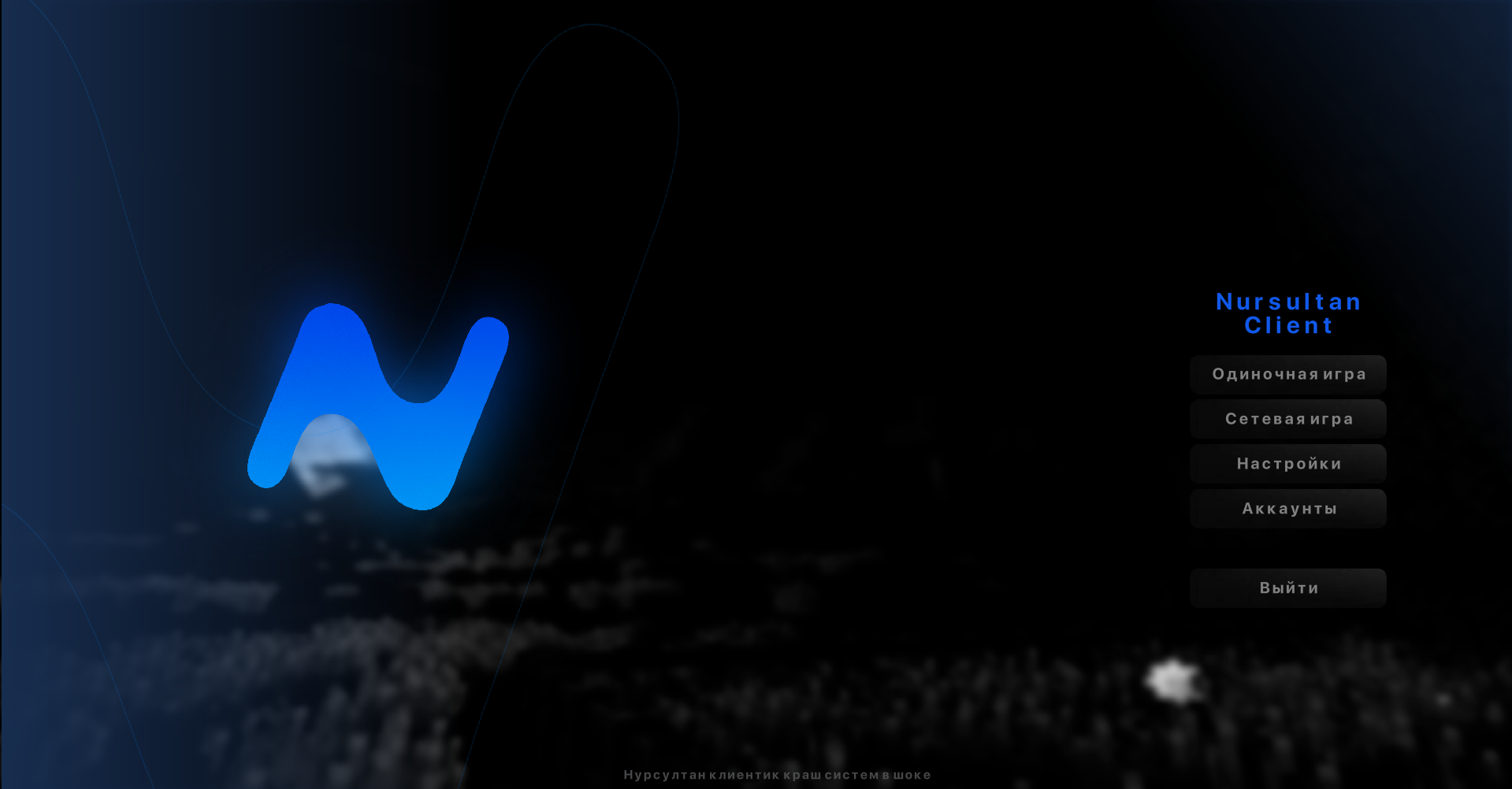
Style the Minecraft main menu around the reference’s dark blue look and V branding.
Add persistent click-GUI appearance controls and dragging.
Added a dark blue, V-branded main menu inspired by the reference, with access to the original Minecraft menu.
Added click-GUI opacity, corner-rounding and position settings. Drag the bar at the top of the GUI to move it; its position is saved.
Added English, Ukrainian and Russian labels for the new settings.
The changes haven’t been compiled or tested in-game yet.
We are rolling out a major update: 1: Add several new main menu style options, improve their quality to at least 720p, and include animations. Selecting a style should update not only the main menu but also the server selection screen, the world creation screen, and the game settings menu. 2: Add new utility features. One feature should automatically trigger a crouch (press the Shift key) for 0.3 seconds whenever a player lands a critical hit (an attack performed while jumping). Also, add a "health recovery helper" feature: this will highlight the item in the hotbar best suited for restoring health. For example, if the player’s health is critically low, it should highlight a Golden Apple or Enchanted Golden Apple; if health is only moderately low, it should highlight a healing potion or food item (this feature should be highly customizable). 3: Visual features 1)china hat
The generation was stopped before any content could be produced.
We are rolling out a major update: 1: Add several new main menu style options, improve their quality to at least 720p, and include animations. Selecting a style should update not only the main menu but also the server selection screen, the world creation screen, and the game settings menu. 2: Add new utility features. One feature should automatically trigger a crouch (press the Shift key) for 0.3 seconds whenever a player lands a critical hit (an attack performed while jumping). Also, add a "health recovery helper" feature: this will highlight the item in the hotbar best suited for restoring health. For example, if the player’s health is critically low, it should highlight a Golden Apple or Enchanted Golden Apple; if health is only moderately low, it should highlight a healing potion or food item (this feature should be highly customizable).A function that will display the item's cooldown timer above it in the hotbar. 3: Visual features 1)china hat 2)aspect ration(Ability to stretch the screen image) 3) custom blocks overlay(There should be an option to add your own animations via files) 4) custom hand(Hand placement settings) 5)particles(Different particles when hitting/breaking a block/and walking, there should be a setting for which actions the particles should appear, There should be several options for these particles and adjustments to their number and duration.) 6) jump circle 7) free look 8)nimb
Add animated menu styles and apply them to the requested Minecraft screens.
Add critical-hit crouching, recovery recommendations, and hotbar cooldown timers.
Add the requested visual features, with configurable controls and honest limitations for custom animation files.
Added the update in source:
Four animated, scalable menu backgrounds, also applied behind the requested vanilla screens.
Optional predicted-critical crouch, configurable recovery-item highlighting, and hotbar cooldown timers.
Hat, halo, jump circle, block outline, aspect stretch, hand positioning, particles, and hold-to-free-look. Bind free look in Minecraft’s Controls menu.
Block-outline color animation from
config/viooft/block_overlay.json, for example:
{"frames":[{"color":"#64BEFF","duration_ms":300},{"color":"#FF64B4","duration_ms":300}]}
Limitations: Critical hits are predicted locally, not confirmed by the server. Menu backgrounds scale to the display, but aren’t 720p artwork, and vanilla screen widgets remain vanilla-styled. Custom block animations currently support color frames, not imported video or texture animations.
The changes haven’t been compiled or tested in-game yet.
package dev.viooft;

import dev.viooft.data.Store;
import dev.viooft.gps.Gps;
import dev.viooft.inventory.ContainerTools;
import dev.viooft.render.HudRenderer;
import dev.viooft.render.WorldVisuals;
import dev.viooft.render.FreeLook;
import dev.viooft.session.SessionTracker;
import dev.viooft.ui.MainScreen;
import dev.viooft.ui.ViooTitleScreen;
import net.fabricmc.api.ClientModInitializer;
import net.fabricmc.fabric.api.client.event.lifecycle.v1.ClientTickEvents;
import net.fabricmc.fabric.api.client.keybinding.v1.KeyBindingHelper;
import net.fabricmc.fabric.api.client.networking.v1.ClientPlayConnectionEvents;
import net.minecraft.client.option.KeyBinding;
import net.minecraft.client.gui.screen.TitleScreen;
import net.minecraft.util.Identifier;
import org.lwjgl.glfw.GLFW;

public final class ViooFTClient implements ClientModInitializer {
    public static KeyBinding menuKey;
    public static KeyBinding swapKey;
    private static KeyBinding hudKey;
    private static KeyBinding trajectoryKey;
    private static KeyBinding freeLookKey;

    @Override
    public void onInitializeClient() {
        Store.load();
        KeyBinding.Category category = KeyBinding.Category.create(Identifier.of("viooft", "utility"));
        menuKey = KeyBindingHelper.registerKeyBinding(new KeyBinding("key.viooft.menu", GLFW.GLFW_KEY_RIGHT_SHIFT, category));
        swapKey = KeyBindingHelper.registerKeyBinding(new KeyBinding("key.viooft.swap", GLFW.GLFW_KEY_UNKNOWN, category));
        hudKey = KeyBindingHelper.registerKeyBinding(new KeyBinding("key.viooft.hud", GLFW.GLFW_KEY_UNKNOWN, category));
        trajectoryKey = KeyBindingHelper.registerKeyBinding(new KeyBinding("key.viooft.trajectory", GLFW.GLFW_KEY_UNKNOWN, category));
        freeLookKey = KeyBindingHelper.registerKeyBinding(new KeyBinding("key.viooft.freelook", GLFW.GLFW_KEY_UNKNOWN, category));
        Gps.register();
        ContainerTools.register();
        HudRenderer.register();
        ClientPlayConnectionEvents.JOIN.register((handler, sender, client) -> SessionTracker.reset());
        ClientPlayConnectionEvents.DISCONNECT.register((handler, client) -> SessionTracker.reset());
        ClientTickEvents.END_CLIENT_TICK.register(client -> {
            if (!client.isDemo() && client.currentScreen != null && client.currentScreen.getClass() == TitleScreen.class) {
                client.setScreen(new ViooTitleScreen());
            }
            while (menuKey.wasPressed()) if (client.currentScreen == null) client.setScreen(new MainScreen(null));
            while (hudKey.wasPressed()) if (client.currentScreen == null) { Store.data().settings.hudEnabled = !Store.data().settings.hudEnabled; Store.save(); }
            while (trajectoryKey.wasPressed()) if (client.currentScreen == null) { Store.data().settings.trajectory = !Store.data().settings.trajectory; Store.save(); }
            FreeLook.tick(client, freeLookKey.isPressed());
            HudRenderer.tick(client);
            WorldVisuals.tick(client);
        });
    }
}