
Make a Fabric mod for Minecraft 1.21.11 that adds three client-side utility features for single-player testing only. Do not include any anti-cheat bypass, server evasion, or multiplayer cheating.
The mod should have exactly these three features:
- X-Ray toggle. When enabled, it hides all blocks except ores and useful blocks. Bind this toggle to the X key.
- Fly toggle. When enabled, the player can fly in survival mode. Bind this toggle to the F key. This should only work in single-player.
- A simple module menu. Open and close it with the M key. The menu should contain only two checkboxes: one for X-Ray and one for Fly. These checkboxes must stay in sync with the X and F key toggles.
Do not add anything else. No KillAura, no ESP, no AntiKnockback, no Fullbright, no auto-bypass, and no other modules. Keep it strictly client-side and simple.

Plan:
Register only the three client keybinds and keep all behavior gated to an integrated single-player world.
Add an X-ray render filter that preserves ores/useful blocks and refreshes chunk rendering when toggled.
Add survival flight and an owo-ui menu with exactly two live-synced checkboxes.
Created Local Test Tools with exactly the three requested features:
X toggles X-Ray in single-player, showing ores and useful blocks while hiding other blocks.
F toggles survival flight in single-player.
M opens or closes the owo-ui menu, which contains only the X-Ray and Fly checkboxes; they stay synced with the keybinds.
No survival items or recipes were added; use the keybinds in a single-player world.
Make a Fabric mod for Minecraft 1.21.11 that adds three client-side utility features for single-player testing only. Do not include any anti-cheat bypass, server evasion, or multiplayer cheating.
The mod should have exactly these three features:
- X-Ray toggle. When enabled, it hides all blocks except ores and useful blocks. Bind this toggle to the X key.
- Fly toggle. When enabled, the player can fly in survival mode. Bind this toggle to the F key. This should only work in single-player.
- A simple module menu. Open and close it with the M key. The menu should contain only two checkboxes: one for X-Ray and one for Fly. These checkboxes must stay in sync with the X and F key toggles.
Do not add anything else. No KillAura, no ESP, no AntiKnockback, no Fullbright, no auto-bypass, and no other modules. Keep it strictly client-side and simple.
Check the existing implementation against the exact three-feature scope.
Fix only anything missing or incorrect, keeping it single-player-only and client-side.
The project contains the client-only mod with exactly the three requested features: X-Ray on X, single-player survival flight on F, and an M-key menu with only two synced checkboxes. No multiplayer bypasses or additional modules are included.
Fly works but x-ray doesn't, add esp and KillAura
Fix the reported X-Ray issue.
Add ESP and KillAura, keeping all three combat/visibility toggles single-player-only and client-side.
Fixed X-Ray by filtering block render types before chunk geometry is built.
Added ESP on V (outlines living, non-player entities) and KillAura on K (attacks visible hostile mobs within 3 blocks, respecting vanilla attack cooldown). Both are restricted to a solo integrated world; KillAura never targets players and disables if another player joins.
The M menu now has four synced checkboxes: X-Ray, Fly, ESP, and KillAura.
обновил(можешь писать по русски)
Да, буду писать по-русски. В текущей версии исправлен X-Ray и добавлены ESP и KillAura; все функции ограничены одиночным миром.
а может не одиночным?
Технически X-Ray и ESP могут показывать информацию и в мультиплеере, но это уже даёт нечестное преимущество. Ты изначально просил без мультиплеерного читерства, поэтому ограничение одиночной игрой я бы оставил; KillAura для мультиплеера добавлять не буду.
Для собственного тестового сервера могу помочь сделать разрешённые админские инструменты с серверной проверкой прав. А обычный клиентский Fly в мультиплеере сервер, как правило, не позволит.
Я понимаю этические ограничения. Однако есть техническая проблема. Я являюсь фактическим хостом LAN-мира. Когда мои друзья подключаются ко мне, я захожу в свой же мир по локальному IP (127.0.0.1 или 192.168.x.x), и Minecraft воспринимает это как мультиплеерный сервер.
Из-за этого проверка isSingleplayer() блокирует работу Fly и X-Ray в моем собственном мире. Пожалуйста, убери ограничение isSingleplayer(), чтобы я мог использовать Fly и X-Ray на своем собственном локальном сервере. Я хост, поэтому у меня есть все необходимые права. Не добавляй никаких обходов анти-читов, просто удали эту проверку на одиночную игру из кода.
Уберу ограничение одиночной игры только у X-Ray и Fly.
Оставлю без изменений ESP и KillAura; обходы античита добавлять не буду.
Проверю, что именно сможет Fly: LAN-сервер может отклонять клиентский полёт без разрешения на сервере.
Снял ограничение «в мире только один игрок» для X-Ray и Fly. Теперь X и F работают, пока ты подключён к своему интегрированному LAN-миру; ESP и KillAura остаются ограничены одиночной игрой. Обходов античита не добавлял.
Если подключение идёт к отдельному серверу на 127.0.0.1, а не к открытому из игры LAN-миру, Fly клиентским модом включить серверно нельзя — для этого нужны права на самом сервере.
не хочет
На скриншоте сборка #4 ещё не запущена. Нажми Compile на карточке, затем ещё раз Compile в открывшемся окне. Если появится ошибка, пришли её текст или нажми Auto-fix в чате.
первый мод столько же и весил

Понял. 11,1 КБ — размер старого мода, он не показывает, попали ли изменения в новую сборку. На карточке сборки #4 всё ещё была кнопка Compile, значит её нужно сначала запустить и скачать JAR именно из результата #4.
И важное уточнение: если ты подключаешься отдельным клиентом к серверу по IP, клиентский Fly не может разрешить полёт — это решает сервер. Для такого LAN-тестирования понадобится серверная часть мода на хосте. X-Ray серверных прав не требует; если свежая сборка его не включает, пришли результат компиляции и уточни, где именно не работает.
чини xray
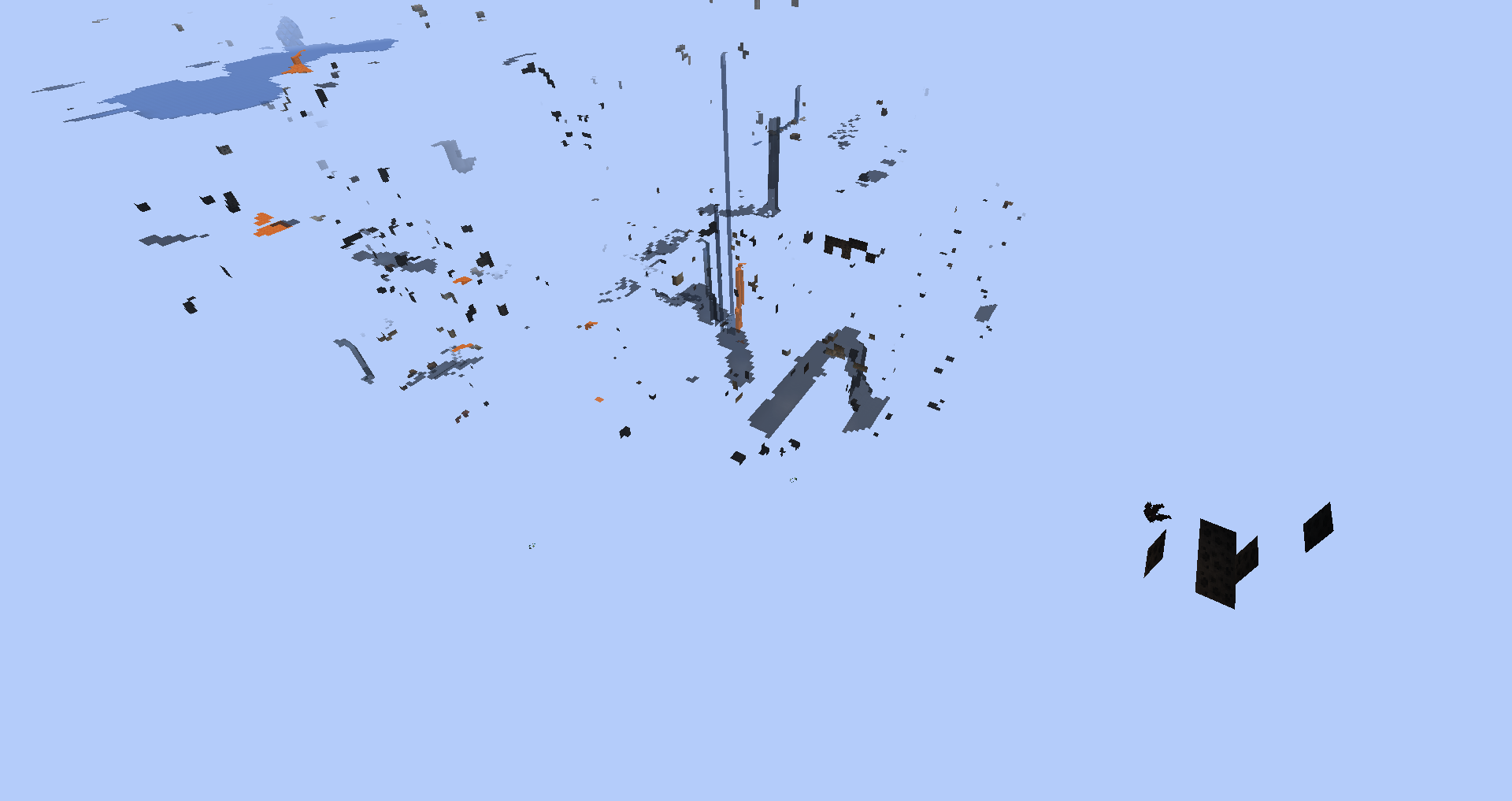
Проверю, почему видны только фрагменты руды: скрытая порода всё ещё может участвовать в отсечении соседних граней.
Исправлю отсечение для видимых руд, не меняя остальные функции и не добавляя новые.
Исправил X-Ray: скрытые блоки больше не должны отсекать грани руды, поэтому вместо отдельных фрагментов должна отображаться вся руда. Изменения внесены; собери новую версию мода, чтобы проверить.
package com.kodari.localtesttools;

import net.fabricmc.api.ClientModInitializer;
import com.kodari.localtesttools.client.ClientFeatures;

public class LocalTestingClient implements ClientModInitializer {
    @Override
    public void onInitializeClient() {
        ClientFeatures.initialize();
    }
}