Yt Rando

resume

Kodari AI
KodariNov 2 at 10:49 pm 1
MinecraftFabricMod
Creates a Minecraft Fabric mod for version 1.21.11 that introduces new gameplay mechanics, items, and blocks. The mod adds custom crafting recipes, ore generation, and unique tools with special abilities. It includes a configurable system for balancing gameplay, client-server synchronization for multiplayer compatibility, and integration with the Fabric API for seamless mod loading. The project implements custom registries, data generation for recipes and loot tables, and provides a developer-friendly structure with mixin support for vanilla enhancements.

What should the Fabric 1.21.11 mod do? Share the feature or mod idea, and I’ll build it from scratch.

Yt Rando

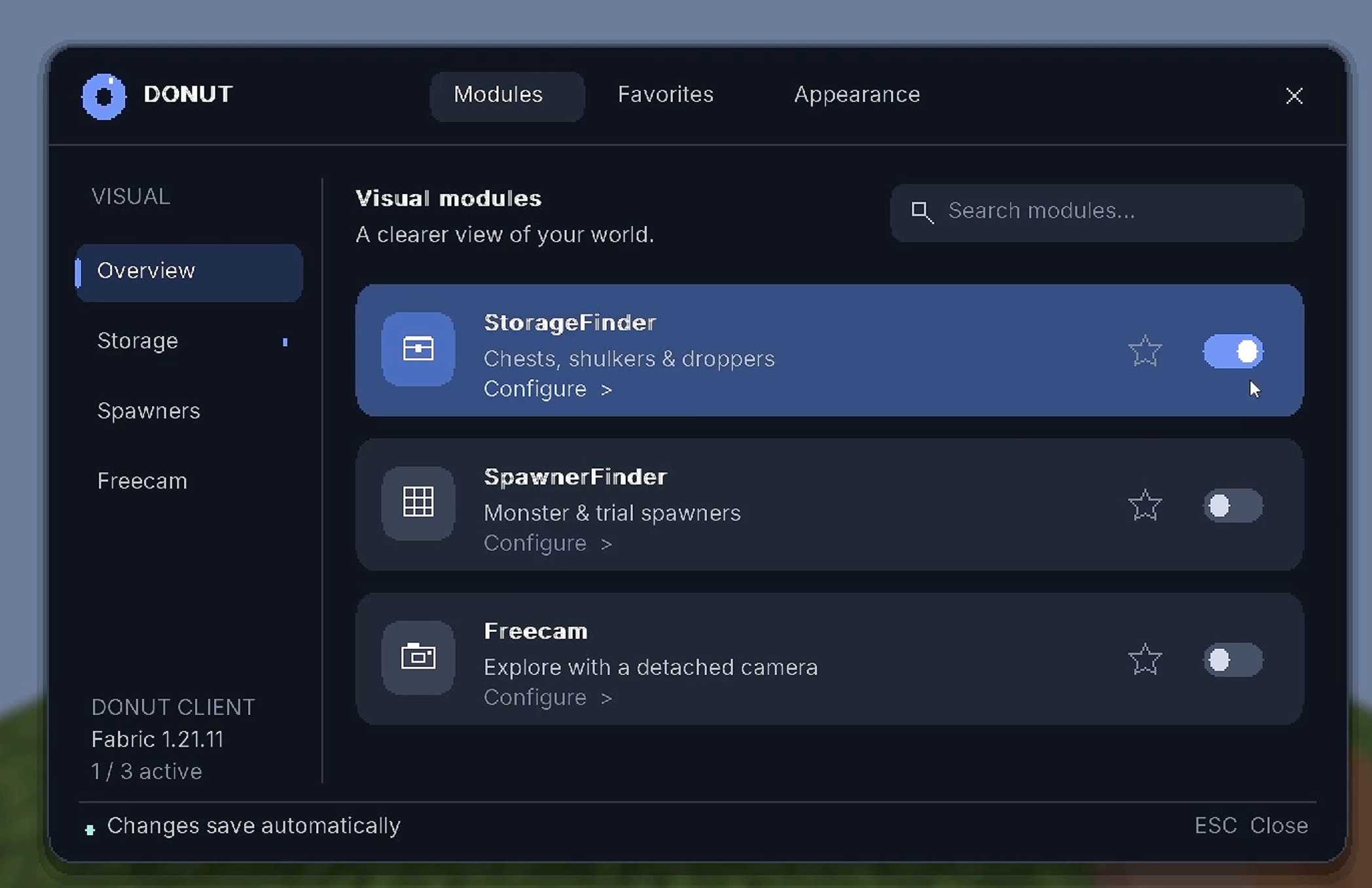
I want to create a 1.21.11 fabric client. I want an aesthetically pleasing clickgui similar to the reference above. For the logic I want a storagefinder module that highlights chests, shulkers, and droppers. I also want a module called spawnerfinder which also highlights spawners. I want a lot of customization on these modules to adjust opactiy of the outline, color, different modes.

Kodari AI
KodariNov 2 at 11:15 pm 6

Plan:

  1. Build the themed owo click GUI and module/configuration flow.

  2. Add StorageFinder and SpawnerFinder highlighting with customizable colors, opacity, range, and modes.

  3. Wire client initialization, keybind, persistence, and required project metadata.

Created Finder Vision for Fabric 1.21.11. Open the click GUI with Right Shift.

  • StorageFinder highlights chests, shulker boxes, and droppers; SpawnerFinder highlights monster and trial spawners.

  • Configure each module’s enable state, color, opacity, highlight mode (outline, filled, or both), and scan range. Storage types can be toggled individually.

  • Settings save automatically to config/findervision.properties. Highlights scan loaded chunks.

  • No items or blocks were added, so there’s nothing new to obtain in survival.

Yt Rando

now create a freedom module, this should allow me to move freely in a spectator perspective in the game. this should not affect server side positioning, only client side

Kodari AI
KodariNov 3 at 11:39 pm 3

Plan:

  1. Check the existing client/module setup and the current keybind and rendering hooks.

  2. Add a Freedom toggle that detaches the camera for spectator-like viewing without sending movement to the server.

  3. Add an in-GUI toggle and settings if they fit the current module design.

Added the Freedom module to the click GUI. Toggle it with G or its GUI switch; use WASD to fly, mouse to look, Space/Shift to rise or descend, and Sprint for a speed boost. Camera speed is adjustable and saved in the config.

While active, the camera moves independently; the player is frozen and normal player movement packets are suppressed. It won’t activate while mounted.

Yt Rando

I'm clicking the right shift and nothing is happening

Kodari AI
KodariNov 4 at 2:21 am 1

Fixed the keybinding startup issue: both bindings were creating the same category, which throws during initialization and prevents the GUI key from registering. Freedom now has its own translated category. Try Right Shift again after rebuilding and launching the updated mod.

Yt Rando

you know can you also add a key binds option that lets you customize the key binds for each gui

Kodari AI
KodariNov 4 at 8:41 pm 2
  1. Add configurable, saved keybinds for opening the GUI and toggling each module.

  2. Add a Keybinds card with click-to-capture buttons; Escape cancels a rebind.

Added a Keybinds section to the GUI. Click a key button and press a new key; Esc cancels. You can rebind opening Finder and toggling StorageFinder, SpawnerFinder, and Freedom. Changes save automatically; defaults are Right Shift, H, J, and G, respectively.

Yt Rando

also the right shift isn't working, so can you just try to fix it also make it `

Kodari AI
KodariNov 4 at 8:46 pm 1
  1. Make opening Finder use direct GLFW key-state polling so Right Shift and the saved custom key don’t depend on KeyBinding event dispatch.

  2. Keep the GUI’s rebind option, and ask for the intended replacement key—the message cuts off after the opening backtick.

Changed the GUI opener to poll the configured key directly, bypassing KeyBinding event dispatch. Right Shift remains the default, and you can still change it in the Keybinds section.

Your message cuts off after “make it ”—what key would you like instead?

Yt Rando

make it " ` "

Kodari AI
KodariNov 4 at 8:49 pm 1
  1. Change the opener’s default from Right Shift to the backtick/grave key.

  2. Migrate existing configs that still store the old Right Shift default, then keep custom bindings intact.

Changed the Finder opener default to (grave/backtick). Existing configs that still had the old Right Shift default are migrated to it; other custom bindings are preserved. Rebuild and launch the updated mod to use it.

Kodari can make mistakes. Review important code before using.
Files
src
build.gradle
gradle.properties
manifest.kod
settings.gradle
Code
16 1,140
src/client/java/dev/kodari/findervision/client/FinderClient.java
package dev.kodari.findervision.client;

import dev.kodari.findervision.client.gui.FinderScreen;
import dev.kodari.findervision.client.render.FinderRenderer;
import net.fabricmc.api.ClientModInitializer;
import net.fabricmc.fabric.api.client.event.lifecycle.v1.ClientTickEvents;
import net.fabricmc.fabric.api.client.keybinding.v1.KeyBindingHelper;
import net.minecraft.client.option.KeyBinding;
import net.minecraft.client.util.InputUtil;
import net.minecraft.util.Identifier;
import org.lwjgl.glfw.GLFW;

public final class FinderClient implements ClientModInitializer {

    public static final String MOD_ID = "findervision";
    private static KeyBinding toggleStorage;
    private static KeyBinding toggleSpawner;
    private static boolean openGuiKeyWasDown;

    @Override
    public void onInitializeClient() {
        FinderSettings.load();
        FinderRenderer.initialize();
        KeyBinding.Category category = KeyBinding.Category.create(Identifier.of(MOD_ID, "main"));
        toggleStorage = KeyBindingHelper.registerKeyBinding(new KeyBinding(
                "key.findervision.storage",
                GLFW.GLFW_KEY_H,
                category
        ));
        toggleSpawner = KeyBindingHelper.registerKeyBinding(new KeyBinding(
                "key.findervision.spawner",
                GLFW.GLFW_KEY_J,
                category
        ));
        toggleStorage.setBoundKey(InputUtil.Type.KEYSYM.createFromCode(FinderSettings.STORAGE_KEY));
        toggleSpawner.setBoundKey(InputUtil.Type.KEYSYM.createFromCode(FinderSettings.SPAWNER_KEY));
        KeyBinding.updateKeysByCode();

        FreedomCamera.initialize();

        ClientTickEvents.END_CLIENT_TICK.register(client -> {
            boolean openGuiKeyDown = InputUtil.isKeyPressed(client.getWindow(), FinderSettings.OPEN_GUI_KEY);
            if (openGuiKeyDown && !openGuiKeyWasDown && client.currentScreen == null)
                client.setScreen(new FinderScreen());
            openGuiKeyWasDown = openGuiKeyDown;
            if (client.currentScreen != null)
                return;
            while (toggleStorage.wasPressed()) {
                FinderSettings.STORAGE.enabled = !FinderSettings.STORAGE.enabled;
                FinderSettings.save();
            }
            while (toggleSpawner.wasPressed()) {
                FinderSettings.SPAWNER.enabled = !FinderSettings.SPAWNER.enabled;
                FinderSettings.save();
            }
        });
    }

    public static void bindOpenGuiKey(int keyCode) {
        FinderSettings.OPEN_GUI_KEY = keyCode;
        FinderSettings.save();
    }

    public static void bindStorageKey(int keyCode) {
        FinderSettings.STORAGE_KEY = keyCode;
        rebind(toggleStorage, keyCode);
        FinderSettings.save();
    }

    public static void bindSpawnerKey(int keyCode) {
        FinderSettings.SPAWNER_KEY = keyCode;
        rebind(toggleSpawner, keyCode);
        FinderSettings.save();
    }

    public static void rebind(KeyBinding binding, int keyCode) {
        binding.setBoundKey(InputUtil.Type.KEYSYM.createFromCode(keyCode));
        KeyBinding.updateKeysByCode();
    }
}