
Build DiscordWithout Writing Code
Describe it and get a working bot, online 24/7 in one click
Everything you need to succeed
Professional development tools without the complexity
Describe It. Build It. Ship It.
Prompt to JAR. Compiled, error-fixed, downloadable. Minutes, not weeks.
Live Bot Testing
Launch your bot with one click in an isolated sandbox. Real-time terminal logs with <100ms latency. 10-minute test sessions with auto-restart support included.
Never Lose Your Work
Every generation checkpoints. Rollback to any state, one click.
Real-Time Collaboration
Invite teammates to your project and build together. Live cursors, shared file editing, synchronized chat, and role-based access control.
Community-Powered Docs
Users contribute API documentation keeping AI knowledge fresh. Search through up-to-date plugin APIs instantly.
Regional Model Pricing
Pay based on actual AI costs, not inflated prices. Save up to 90% compared to competitors.
Smart Input Pricing
With our latest optimization algorithms, complex operations like error fixing, reading, etc. now consume up to 50% fewer credits than before.
Real-Time Terminal
See bot output instantly. <100ms latency with full log history for debugging.
Isolated Sandboxes
Each bot runs in its own secure container. Safe and isolated testing environment.
Cloud Hosting
Deploy your bot forever. No servers, no Docker. One-click deploy with live logs.
Professional Online IDE
Full-featured code editor with syntax highlighting, file tree navigation, and keyboard shortcuts. Press F2 to rename, DEL to delete, drag & drop to organize. Customize your layout - move chat and file tree to left or right. Everything saves automatically to the cloud.
Libraries
Support for any online downloadable framework.
Auto-Reconnect
Refresh the page? No problem. Reconnects to running bots automatically without interruption.
Smart Organization
Star your important projects for quick access. Never lose track of your work with powerful search and filters.
Rich Media Support
Attach images, configs, or large files to your prompts. AI understands context from your uploads.
Built by people like you
Real bots from the community. Open any of them to see how it works.
One prompt, many projects
A workspace works on up to 20 of your projects at once, so an API and everything built on it change together.
- Linking. Add a project as a dependency. The AI reads its code and compiles its latest jar.
- Changes that span projects. An API in one plugin and the code that uses it in another, written together.
- Every project compiles. Each one is built and checked before the workspace calls it done.
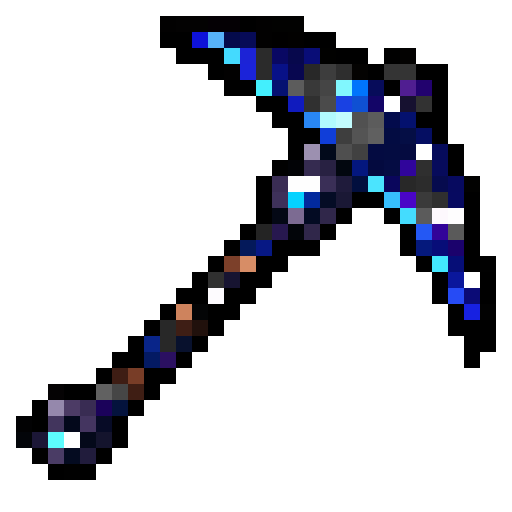
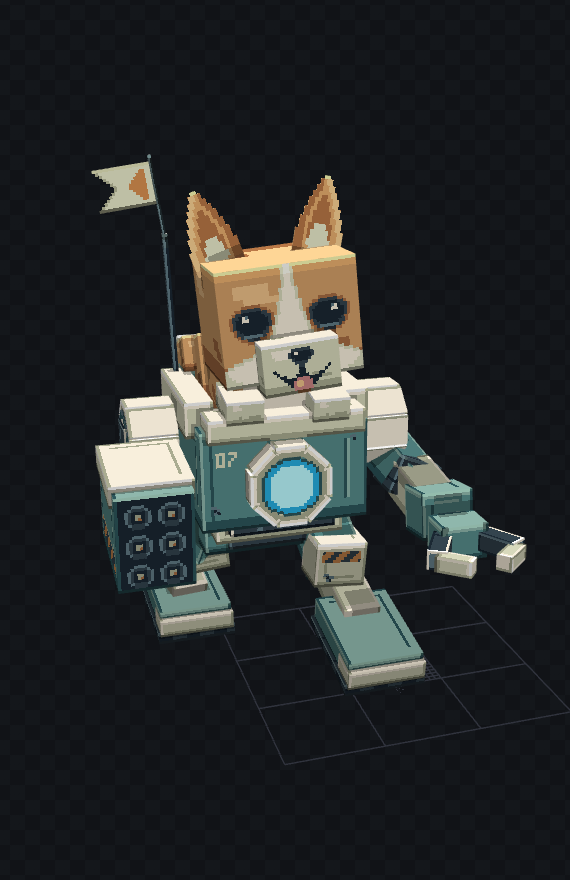
Art for your project, from a prompt
Textures, inventory GUIs, rigged 3D models and builds. Included with any credit pack.



One workspace, start to ship
Every feature below is live today. No setup, no local Java, no plugins to install.
Build anything
- Java & Kotlin plugins for Spigot, Paper, Folia and proxies
- NMS plugins up to 26.3
- Fabric mods, 1.18.2 to 26.3 (beta)
- Skripts, configs and data packs
- Discord bots in Python, JavaScript and TypeScript
- Chrome extensions (Manifest V3)
- Studio: textures, GUIs, rigged 3D models and builds
AI that shows its work
- Lite, Kodari, Max and Ultra models, 1M context
- Watch its reasoning live as it thinks
- Steer it mid-generation, or queue your next message
- Ask-only chat mode when you just want answers
- Voice mode: talk, and it builds
- Prompt enhancer and automatic project detection
- Attach images, files and YouTube videos
A real online IDE
- Monaco editor with tabs and split panes
- Search every file at once (double Shift)
- Gradle, Skript and mcfunction highlighting
- Pixel-art texture editor
- 3D model and schematic viewers
- Drag-and-drop file tree and bulk import
- ZIP export and one-click project cloning
Compile and ship
- Cloud builds with Gradle, Maven, Javac, Kotlin and Loom
- Java 8, 11, 16, 17, 21 and 25
- One-click fix for compile errors
- JAR downloads, with optional obfuscation
- External JAR dependencies, with shading
- Automatic verification after each generation
- Full build history
Never lose work
- Checkpoint on every change, AI or yours
- Diffs for code and images
- Compare any two versions
- Roll back in one click
- GitHub push and pull, with branch picking
Build together
- Owner, Editor and Viewer roles
- Invite links, and choose whose credits pay
- Live cursors and presence
- File locks and live typing previews
Discord bots, live
- 10-minute test runs with a live console
- 24/7 hosting from 6 credits a day
- Live logs, plus start, stop and extend
Share and discover
- Public, private and share-link projects
- Community browser with trending projects
- Profiles with an activity heatmap
- Wiki Creator for your plugin docs
- Searchable docs the AI builds from
- Models API with keys and SDKs
Free credits, fair plans
- 10 credits when you sign up
- 4 to 6 free credits every day, plus streak bonuses
- Referral, creator and bug bounty rewards
- Credit packs, or Orbit with credits that roll over
- Upgrade by paying only the difference
- Gift credits to a friend
Build anything you imagine
Moderation & Safety
Keep your Discord server safe with powerful moderation tools
- Auto-mod with word filters
- Kick, ban, mute commands
- Raid protection systems
- Warning & logging systems
- Anti-spam protection
- Role-based permissions
Start building today
Start free. Buy credits once, or get them every month with Orbit.
Daily Rewards
60 + ∞10 at signup, 50 in Discord, then daily
- 10 credits when you sign up
- 50 more when you join our Discord
- 4-6 free credits every day
- Streak bonuses (Day 7/14/21/30)
- Kodari Lite model
- Online IDE access
Nebula
600 credits
- Kodari and Kodari Max models
- Studio: textures, GUIs, 3D models, builds
- Private projects
- 300KB import limit
- Version control
- Online IDE access
- 5% referral commission
Stellar
1,200 credits
- Everything in Nebula
- Priority support
- 750KB import limit
- JAR decompilation (ALPHA)
- 7% referral commission
Galactic
2,700 credits
- Everything in Stellar
- Kodari Ultra model
- 1.5MB import limit
- 9% referral commission
Cosmic
6,000 credits
- Everything in Galactic
- 2.0MB import limit
- 10% referral commission
- Priority feature requests
- Early access features
Every plan includes the online IDE, version history and community docs. Credits from packs never expire.
Questions, answered
Is Kodari free?
Yes. You get 10 credits when you sign up and 50 more when you join our Discord, then 4 to 6 free credits every day. Credit packs start at $9.99, and Orbit gives you 700 credits every month.
Do I need to know how to code?
No. Describe what you want in plain English and Kodari writes the code, compiles it and fixes compile errors on its own. You can still open and edit every file in the built-in editor.
What can I build with Kodari?
Minecraft plugins for Paper and Spigot, Fabric mods, Skripts, configs and data packs, Discord bots in Python, JavaScript and TypeScript, and Chrome extensions. Studio adds textures, GUIs, 3D models and builds.
Which Minecraft versions are supported?
Plugins from 1.8 up to 26.x, Fabric mods from 1.18.2 up to 26.3, and NMS plugins for 1.21.11, 26.1.2, 26.2 and 26.3.
Can Kodari host my Discord bot?
Yes. Test your bot for 10 minutes right in the browser, then keep it online 24/7 with one click, from 6 credits a day.
Are my projects private?
On the free plan, projects are public, so anyone on Kodari can open them and read the code. Any credit pack lets you make your projects private.
Can I work on several projects at once?
Yes. A workspace takes one prompt and works across up to 20 of your projects, and linking lets one project use another as a dependency.
Ready to build something amazing?
Join thousands of creators building Discord bots without limits